
You might wonder whether digital picture frames really make a difference for you or your family. Products like the Novarhome Digital Calendar Chore Chart go far beyond simply displaying photos. They help organize your household, manage daily routines, and keep everyone on schedule.
If you’re looking for a smart way to showcase family memories while also handling chores and planning, this type of multifunctional digital picture frame can save both time and money. That’s why more families are choosing digital frames for everyday home organization.
Why people love digital picture frames:
- You can choose exactly which photos and schedules to display
- They keep things simple, with no extra apps or distracting notifications
- They’re easy to use, even for kids, seniors, or first-time users
| Factor | Why It Matters |
|---|---|
| Cost | Low prices help you stay within your budget. |
| Convenience | Fast setup and easy controls save you work. |
| Emotional Value | Showing favorite memories feels good. |
| Alternatives | You can pick regular frames or tablets instead. |
Think about your own space and what helps make life easier for you.
Key Takeaways
- Digital picture frames show many photos. You can share memories easily. There is no mess or clutter. Frames like Novarhome show photos and help organize things. They help families keep track of chores and schedules. High-resolution screens make photos look bright and sharp. Your memories look clear and colorful. Think about what you need and how much you want to spend. Digital frames are good for people who want to show lots of photos. Setting up is easy and simple. Anyone can use digital frames without knowing a lot about technology.
Digital Picture Frames: Quick Verdict

Who Benefits Most
You might wonder whether digital picture frames fit your lifestyle. These devices are ideal for homes that want to share memories while staying organized. If you enjoy seeing favorite photos every day, you’ll appreciate how quickly new pictures appear on the screen.
Many parents use digital frames to make family schedules easy to view and to keep chores on track. You can assign tasks, track habits, and even reward kids when they complete their chores. By turning routines into something visual and interactive, digital picture frames help make everyday life more enjoyable and manageable.
Let’s see who likes digital frames the most:
- Teenagers use them to show digital memories and connect with friends.
- Parents use these frames to organize family life and help kids do chores.
- College students decorate dorm rooms with many photos to feel at home.
- Grandparents like easy photo display and simple setup to stay close to family.
- Tech-savvy teens enjoy Wi-Fi and cloud features to share and manage photos online.
- Most users like touchscreens and cloud storage for quick photo uploads.
Here’s a table that shows how different people benefit:
| User Type | Key Features | Benefits |
|---|---|---|
| Grandparents | Easy photo display, minimal setup | Stay close to family, no tech problems |
| Tech-savvy teens | Wi-Fi, cloud integration | Share and manage photos online |
| General users | Touchscreens, cloud storage | Simple setup, upload photos from anywhere |
User happiness depends on a few things. Good screens make photos look bright. Easy controls mean you won’t get upset with setup. Connection options let you add new photos without trouble. Brands like Aura and Nixplay are known for great screens and easy design. Skylight frames are liked for simple plug-and-play use, especially for people who do not like tech.
If you want a device that does more than show pictures, digital frames like Novarhome give extra value. You get a family organizer, a chore chart, and a photo frame together. That is a lot for the price, so these frames are smart for busy homes.
Tip: If you want your family to stay close and organized, a digital picture frame with calendar and chore chart features can help a lot.
Who May Not Need One
Not everyone needs digital picture frames. If you do not care about seeing photos, you may not use the frame much. Some people remember watching slideshows at family events and feeling bored. If you feel that way, you may want other ways to share memories.
People who like simple homes or do not like tech may skip digital frames. You may want less stuff or avoid new gadgets. Non-Wi-Fi frames are easy to set up and work well for people who do not want to sync or update software. These frames also keep things private and offline.
Reasons You May Not Need a Digital Picture Frame
A digital frame is not the right choice for everyone. You may want to skip one if:
- You don’t care much about viewing photos regularly
- You prefer traditional photo frames or printed photo books
- You want to avoid syncing, apps, or software updates
- You like giving or receiving gifts that don’t require tech setup
Before buying, think about how often you would actually use the frame. A digital picture frame offers good value if you enjoy displaying many photos or want to help organize family life. However, if you only plan to display one or two pictures, a traditional frame may be the better option.
Note: Digital frames are excellent for sharing memories and staying organized, but they aren’t for everyone. Consider your habits, preferences, and home environment before making a decision.
Cost and Value
Price of Digital Frames
When you look for digital picture frames, you see many prices. Some cost less than sneakers. Others are much more expensive. You might wonder why prices are so different. It depends on the features, screen size, and how clear the pictures look.
Here’s what you can expect:
| Model Type | Price Range | Features |
|---|---|---|
| Basic | $50 - $80 | Simple photo display, standard resolution |
| Mid-range | $100 - $250 | Wi-Fi, app integration, higher resolution |
| Premium | $300 - $800+ | Large screens, advanced smart features |
Basic frames cost under $80. They show photos but do not have many extras. If you want better picture quality and Wi-Fi, mid-range frames cost $100 to $250. Premium frames cost over $300. They have bigger screens and smart features. Aura and Skylight are brands in the mid and high price range. Aura is known for its design. Skylight is easy to connect.
Tip: If you want more than just photos, spend a bit more for better features.
Ongoing Expenses
Buying a digital frame is not the only cost. You should think about what it takes to keep it working. Some frames need a subscription for extra features. For example, Skylight has a Plus plan for $39 each year. This plan lets you play videos, add captions, use cloud storage, and a mobile app.
You also pay for electricity. The frame stays plugged in all the time. Most people think this cost is small, but it is good to remember.
Here are some ongoing costs:
- Subscription fees for extra features like video or cloud storage
- Electricity costs to keep the frame on
You do not need to buy new prints or frames every year. This saves money over time.
Digital Frames vs. Traditional Frames
You might wonder if a digital frame is better than a regular frame. Let’s compare them.
Digital frames can hold thousands of pictures. You can change photos with a tap or swipe. Wi-Fi and your phone make it easy to update. Regular frames only show one photo at a time. If you want more, you must print and buy more frames.
Here’s a table to compare:
| Option | Initial Cost | Ongoing Annual Cost | Total (5 Years) | Capacity |
|---|---|---|---|---|
| Printed Photos (20 frames) | $300 (frames + prints) | $60 (new prints + minor replacements) | $600 | 20 static images |
| Digital Frame (1080p, Wi-Fi) | $150 | $5 (electricity only) | $175 | 10,000+ rotating images |
You pay more at first for a digital frame. But you save money later. You do not need to print new photos or buy more frames. Digital frames let you see many memories and share new ones fast. This makes many people feel happy with their choice.
Note: If you want to show lots of photos and keep your room neat, digital frames save money over time.
Display Quality
Screen Resolution
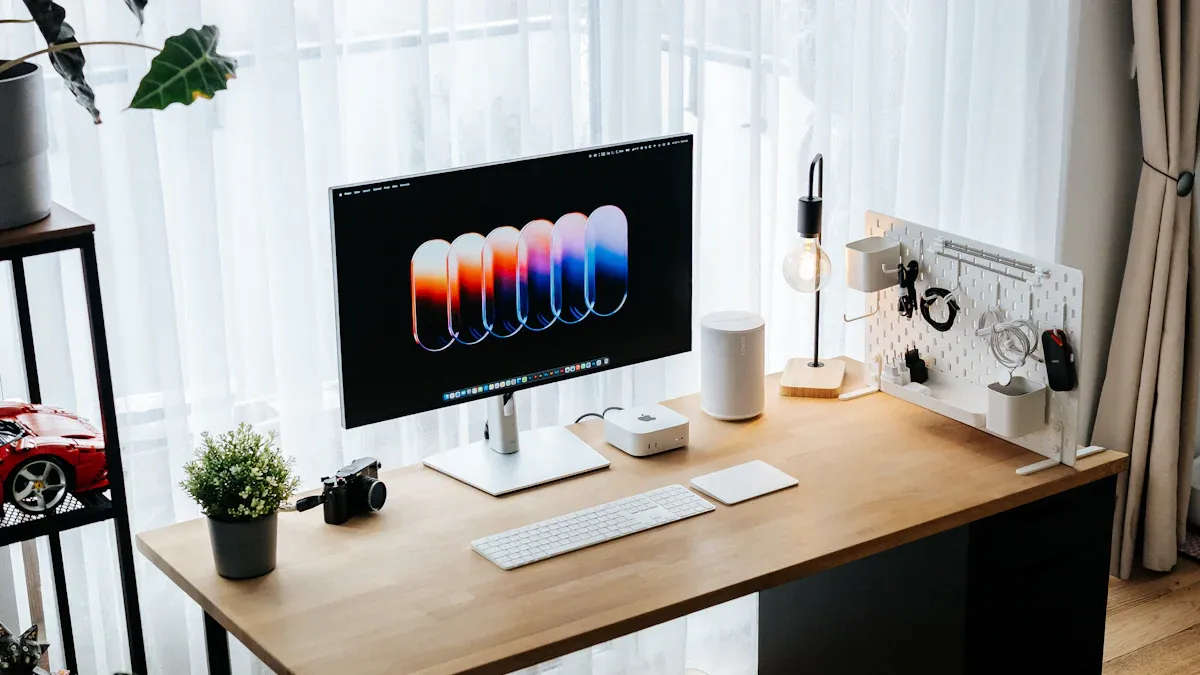
When you pick a digital picture frame, the resolution matters a lot. High resolution makes your photos look sharp and clear. Low resolution can make pictures look blurry or faded. If you want bright and colorful photos, choose a frame with higher resolution. Here is a quick chart of common resolutions:
| Resolution | Description |
|---|---|
| 1024 x 600 | Good quality for everyday use |
| 1280 x 960 | Sharper and more vibrant images |
| 1080p | Standard high-definition clarity |
| 2K | Captures more detail for larger displays |
| 3K | Highest clarity and detail |
Frames with 1080p or better show details very well. If you use a new smartphone for photos, you will see the difference. Lower resolutions can make pictures look dull. Higher resolutions make photos look their best.
Viewing Experience
You want your digital picture frame to look great from anywhere in the room. High-quality frames use IPS display panels, which deliver brighter colors and wider viewing angles. This means your photos look sharp and vibrant whether you’re standing nearby or viewing from across the room.
Features that improve the viewing experience include anti-glare coatings, which make the screen easier to see in bright rooms, and adjustable brightness, so you can match the display to your lighting conditions. Many frames also support multiple aspect ratios, preventing photos from appearing stretched or cropped.
Key features that enhance viewing quality:
- IPS panels for accurate colors and wide viewing angles
- Anti-glare screens for bright or sunny rooms
- Adjustable brightness for day or night use
- Multiple frame sizes to match your space
When a frame includes these features, you get better value and a more enjoyable viewing experience—no distractions, just great-looking photos.
Emotional Impact of Displaying Photos
Seeing family photos every day can have a powerful emotional effect. Digital picture frames help you feel connected to loved ones, even during busy or stressful days. Many people find that viewing meaningful photos brings a sense of calm, happiness, and comfort.
Family photos can also strengthen emotional bonds. Children often feel a stronger sense of belonging when they see pictures of themselves and their family displayed at home. New photo updates bring excitement, while older memories offer reassurance and warmth.
Common emotional benefits include:
- Feeling more connected to family and shared memories
- Reduced stress and a greater sense of calm
- Stronger family bonds and emotional security
- Joy and excitement when new photos appear
If you want your home to feel warmer and more personal, displaying photos on a digital picture frame is a simple and meaningful way to do it.
Usability and Convenience
Setup and User Experience
You want a device that is easy to use right away. Most digital picture frames are simple to set up. Even if you have never used one, you can do it. Plug it in, connect to Wi-Fi, and follow the steps on the screen. Touch screens and remotes make it easy to move through menus. You can add photos in just a few steps. Many people say easy use is very important. If a frame is too hard to use, people do not like it. You get more value when you do not waste time on setup.
- Fast setup with step-by-step help
- Touch controls make it simple to use
- Easy photo uploads from your phone
Tip: Pick a frame with a setup wizard for an easy start.
App Integration
It should be easy to manage your photos. Digital frames with apps let you send pictures from anywhere. You can change settings, pick slideshows, and update albums on your phone. Some frames work with Google Photos or Dropbox, so you always have space. Here is how some top frames compare:
| Frame Model | Key Features | Google Photos Integration |
|---|---|---|
| Skylight Frame | Email photos, easy Wi-Fi setup | Automatic album updates |
| Aura Carver/Mason | HD display, adaptive brightness | Shared albums, stylish design |
| Pix-Star Digital Frame | Remote management, web dashboard | Syncs with Google Photos, Dropbox |
App control lets you share new photos right away. You do not need to be home to add pictures. Cloud storage means your family can add photos too, making the frame more fun.
Space-Saving Display
You might worry about having too many frames. Digital picture frames fix this problem. One frame can hold thousands of photos. This means you do not need lots of regular frames. You save space and keep your room neat. You can still show your favorite memories without filling up shelves. You also save money because you do not buy new frames or prints.
Note: If you want a clean room and lots of memories, digital frames are a smart choice.
Features and Versatility
Photo and Video Display
You want your memories to feel real. Digital picture frames show photos and short videos. You can see birthdays, trips, and funny times anytime. Many frames play videos, not just slideshows. You can set favorite moments to repeat or add new ones for your family. Some frames have timers and motion sensors. The screen turns on when you walk by. It saves power when you leave. This helps you save money and energy.
Here’s what some top frames can do:
| Frame Model | Key Features |
|---|---|
| Amazon Echo Show 15 | Voice control, Amazon Photos, large 15.6-inch screen |
| The Frame by Samsung | 4K resolution, doubles as TV, wall-mountable |
| Meural Canvas II by Netgear | High-res screen, Wi-Fi, remote uploads, TrueArt tech |
You get more value when your frame does more than show pictures.
Calendar and Chore Chart Functions
If you want your home to work well, you need more than a photo frame. The Novarhome Digital Calendar Chore Chart is a frame and organizer. You can put everyone’s calendar in one spot. Give chores, track habits, and reward kids for helping. You can make lists for groceries or things to do. This helps you keep busy days under control and gets everyone to help.
| Feature | Description |
|---|---|
| Calendar Synchronization | Keeps everyone’s schedule in one place |
| Interactive Chore Chart | Assigns tasks and rewards kids for good work |
| Custom Lists | Manages to-dos, groceries, and more |
You save time and avoid mix-ups. Your family knows what to do. You feel calm and happy.
Smart Home Integration
You want your devices to work together. Many digital picture frames connect with smart home systems. You can link your frame to Wi-Fi and use your phone or voice to control it. Some frames work with Alexa or Google Assistant. You can add new photos, change settings, or check the calendar from your couch. This makes your home smarter and life easier.
If you want good value, pick frames with these extra features. You get a photo frame, organizer, and smart home device in one. That is a smart choice for busy families.
Alternatives to Digital Picture Frames
When it comes to displaying your favorite photos, digital picture frames aren’t the only option. Depending on your lifestyle, budget, and how often you like to update pictures, another solution might suit you better. Below are the most common alternatives and how they compare.
Traditional Photo Frames
Traditional frames are the most familiar option. They display printed photos on desks, shelves, or walls and require no electricity or internet connection. You can choose from endless styles, sizes, and colors to match your décor, and the upfront cost is usually low.
Pros:
- No power or Wi-Fi required
- Wide variety of styles and sizes
- Simple and distraction-free
Cons:
- Only one photo per frame
- Changing photos requires printing new images
- Costs add up over time with prints and extra frames
- Takes up physical space
Traditional frames work best if you enjoy physical photos and don’t change pictures often.
Tablets and Smart Displays
Tablets and smart displays offer a more flexible and multifunctional option. Devices like tablets or smart displays (such as the Amazon Echo Show) can rotate photos, play videos, support video calls, stream music, and even control smart home devices.
Pros:
- High-resolution, bright displays
- Easy photo updates with taps or voice commands
- Extra features beyond photo display
Cons:
- More expensive than traditional frames
- Require charging or constant power
- Notifications and apps can be distracting
- Not designed specifically for photo display
These devices are ideal if you want an all-in-one screen and don’t mind extra features beyond photos.
Photo Books
Photo books are a classic way to share memories. You design a book online, add your favorite photos, and get a printed copy. You can flip through pages and tell stories with each picture. Photo books make great gifts and look nice on coffee tables. You pay once for the book, and there are no ongoing costs. You can’t update the photos without making a new book. If you want something simple and lasting, photo books work well.
Here’s a quick look at how these options compare:
| Option | Upfront Cost | Ongoing Cost | Features | Space Needed |
|---|---|---|---|---|
| Traditional Frames | Low | Medium | One photo per frame | High |
| Tablets/Smart Displays | High | Low | Multi-use, smart features | Medium |
| Photo Books | Medium | None | Storytelling, keepsakes | Low |
| Digital Frames | Medium | Low | Rotating photos, organizer | Low |
Tip: Think about how often you want to change your photos and how much space you have. Each option has its own value for money.
Drawbacks and Limitations
Digital picture frames offer convenience and modern features, but they are not perfect for everyone. Before buying one, it’s important to understand the potential downsides so you can decide if it truly fits your lifestyle.
Power and Connectivity Requirements
Unlike traditional photo frames, digital picture frames need electricity to function. Most models must stay plugged in at all times. If there’s a power outage, the frame shuts off and stops displaying photos.
Some digital frames use rechargeable batteries, but these usually require frequent charging, which can feel like extra maintenance. Over time, even the small amount of electricity a digital frame uses can add slightly to your energy costs. If you prefer something that works without power or upkeep, a traditional frame may be a better choice.
Technical Issues and Learning Curve
Because digital frames rely on software and internet connections, technical issues can happen. You may experience Wi-Fi connection problems, delayed photo uploads, or system updates that interrupt normal use. If your internet is down, adding new photos may not be possible.
Lower-quality or budget models may also suffer from slow performance, screen freezing, or poor image clarity. In addition, some users—especially those who are less comfortable with technology—may find the setup process or feature controls confusing at first.
Here’s a quick look at common drawbacks:
| Drawback/Limitations | Description |
|---|---|
| Energy Requirements | Needs electricity to work, less flexible than regular frames |
| Maintenance Issues | Battery frames need frequent charging or battery changes |
| Higher Costs | Costs more at first, cheaper models may have lower picture quality |
| Inability to Replicate Tactile Experience | You miss the feeling of flipping through a real photo album |
Note: To get the best value, pick digital frames that balance price, quality, and easy use.
Privacy Concerns
You might worry about privacy with digital picture frames. Some frames connect to the internet and store your photos online. If you share your frame, check who can send or see your pictures. Always use strong passwords. Update your device to keep your memories safe.
Novarhome Digital Frames Overview
Unique Features
Novarhome does more than show photos. It is a smart organizer and a digital frame. The screen comes in two sizes: 10.1 or 15.6 inches. You can choose black or white to match your room. The frame connects to Wi-Fi for easy syncing. You can send photos from your phone. Novarhome lets you give chores and track habits. Kids get rewards for helping out. The app makes sharing simple. The display looks clear from far away.
Here’s how Novarhome compares to other brands:
| Feature | Novarhome | Other Brands |
|---|---|---|
| Remote Sharing | Yes | Varies |
| Family Organization Tools | Yes | Limited |
| Calendar Sync | Yes | Limited |
| Chore Management | Yes | No |
| Privacy and Security | High | Varies |
| Display Quality | Moderate | Higher |
| User Interface | User-friendly | Tailored |
User Feedback
People say Novarhome is easy to set up. Plug it in and connect to Wi-Fi. Link your calendar in a few steps. Parents like seeing everyone’s schedule together. Kids enjoy earning rewards for chores. Sharing photos with family is quick and fun. The touch screen is clear and simple to use. You do not need tech skills to start.
“Novarhome helped my family stay organized and made chores easier.”
“I like sending new photos to my parents. They see them fast!”
Why Choose Novarhome
Novarhome gives you more for your money. It is a family organizer, chore chart, and photo frame in one. You do not pay extra for basic features. Novarhome helps keep your home tidy and your family close. You save time and avoid mix-ups. Daily life gets smoother. If you want something smart and easy, Novarhome is a great pick.
Digital picture frames give you a smart way to show photos and keep your home organized. You get more value for your money when you pick digital frames with extra features. Families enjoy the calendar and chore chart. Tech fans like easy sharing. Gift buyers find these frames thoughtful. Before you buy, think about how much you want to spend and how these devices fit your life. The right choice brings joy and helps you stay connected.
Tip: Always look for features that match your needs and budget.
FAQ
How many photos can a digital picture frame hold?
Most digital frames store thousands of photos. You can upload new pictures anytime. You never run out of space for memories. This gives you great value for your money.
Do digital picture frames use a lot of electricity?
Digital frames use very little power. You can keep them plugged in all day. The cost stays low, so you save money over time.
Can I update photos from my phone?
Yes! You can send photos straight from your phone using an app. This makes sharing easy and quick. You get more convenience for the price.
Is it hard to set up a digital picture frame?
Setup is simple. Plug it in, connect to Wi-Fi, and follow the steps on the screen. You do not need tech skills. You save time and effort.
Are digital picture frames worth the price?
You get more than just photo display. Many frames offer calendars, chore charts, and easy sharing. If you want features and save space, digital frames give you good value.